
Signify makes it easy to share your digital business card in person or online. Use a QR code, public card link, Signify app, phone widget, smartwatch, or physical NFC card to direct people to your professional profile and ways to connect.
In the modern era of networking, the ability to share your professional identity instantly is a superpower. Whether you are meeting a potential investor at a coffee shop, attending a massive industry conference, or following up after a virtual Zoom call, the friction involved in exchanging contact information can make or break a new relationship.
Signify provides a multi-channel approach to sharing. Because your digital business card is hosted in the cloud and linked to your unique Signify profile, you can choose the sharing method that best fits the environment and the person you are speaking with.
Share Your Signify Card from the Web
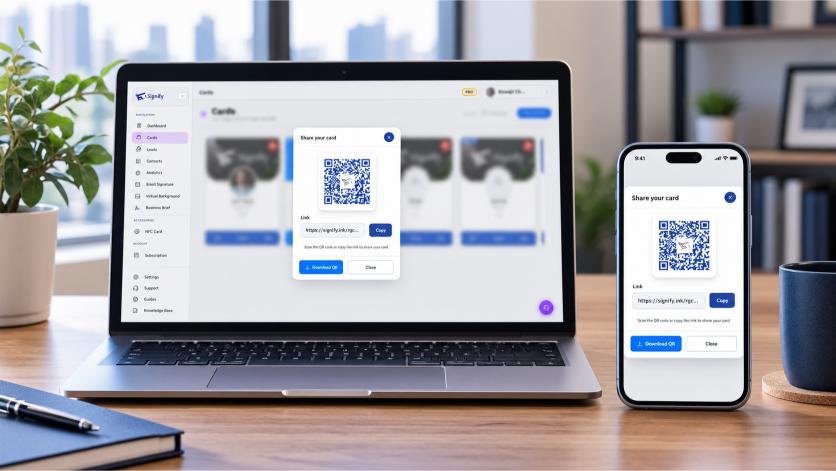
The web sharing tools let you quickly show your QR code, copy your public card link, or download your QR code as an image. This is the most versatile method, especially if you are sitting at a computer and preparing to send an email or a direct message.
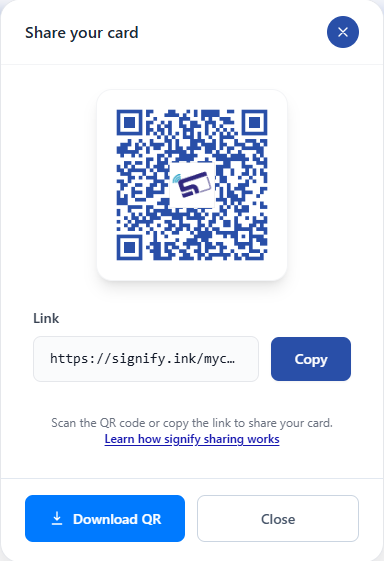
- Open Your Cards and choose Share on the Signify card you want to send.
- In the Share your card modal, you can display the QR code directly on your screen or select Copy to copy the public card link.
- Select Download QR to save the QR code as an image file. You can then insert this image into a presentation, a printed flyer, or an email signature.
You can also download the QR code from the card's quick actions on its /mycard/{card_id} page.
The public link opens your Signify digital business card in any standard web browser. Anyone can scan the QR code using their phone's native camera, and they do not need the Signify app simply to view the card.
Share a Signify Card with the Mobile App
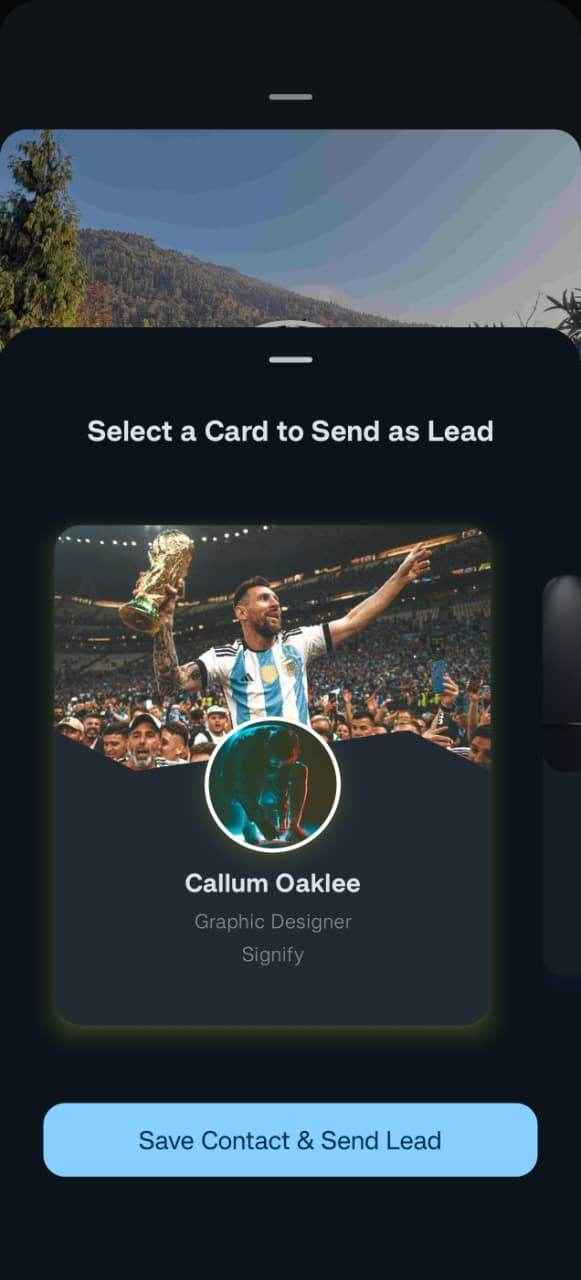
Signify users can scan another Signify QR code directly within the Android or iOS app. When the card opens in the app, the recipient can review the digital business card and choose what to do next.
Depending on the available actions, they can save the card to Contacts or send one of their own Signify cards back as a lead. This "Two-Way Connect" feature is incredibly powerful for sales teams and recruiters who need to capture the other person's details just as securely as they share their own.
Signify app deep links can also open shared card URLs directly in the app when it is installed, providing a faster, richer experience for Signify users compared to the standard web browser view.
Share Your Card from a Phone Widget or Smartwatch
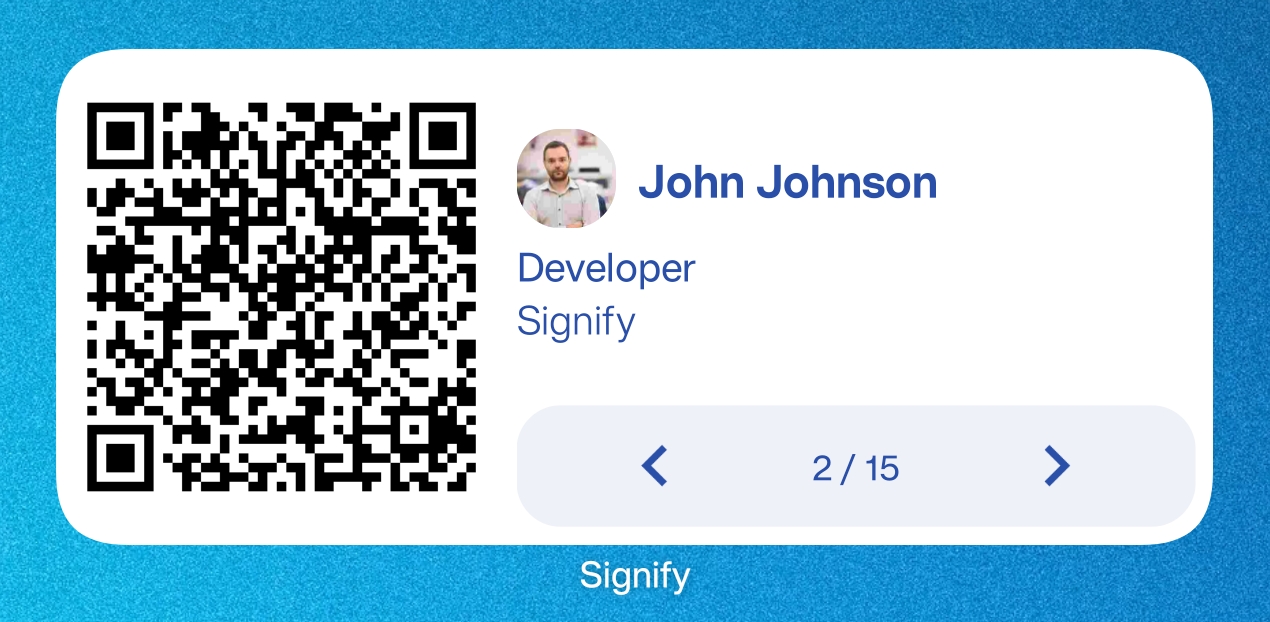
When networking or meeting someone in person, you may not want to open the full Signify app every time you share your card. A Signify widget provides quicker access to your sharing QR code, saving you valuable seconds and looking incredibly professional.
Phone widget
Add the Signify widget to your phone's home screen or lock screen. This allows you to bring up your digital business card sharing QR code with a single swipe or tap, bypassing the need to search for an app icon in the middle of a conversation.
Smartwatch
A Signify smartwatch widget provides another convenient way to bring up your card. If your phone is in your pocket or bag, a quick glance at your wrist allows you to display your QR code instantly, making the exchange feel effortless and futuristic.
Let Anyone Save Your Card from the Browser
Sharing a Signify digital business card does not require the recipient to install the app. Someone who receives your public card link can open it in their phone's browser and view your professional information instantly.
From the public card page, people who do not use Signify can also save your contact details as a VCF file. This is a critical feature for universal compatibility. It means that whether the recipient is using an iPhone, an Android, or even a desktop computer, they can add your information directly to their native address book without signing up for anything.
As the card owner, you can also use the page's Download QR code quick action to save your QR code image for use in presentations, printed materials, email signatures, websites, or other places where you want to share your card.
Save Your Signify Card to a Digital Wallet
Apple Wallet and Google Wallet passes for Signify cards are coming soon.
This planned sharing option will provide another convenient way to keep your Signify card accessible from a mobile wallet, right alongside your boarding passes, event tickets, and loyalty cards. We are constantly working to expand the ways you can access and share your professional identity.
Share Your Digital Business Card with a Physical Signify NFC Card
For in-person networking, you can order a custom Signify NFC card and link it to one of your Signify digital business cards.
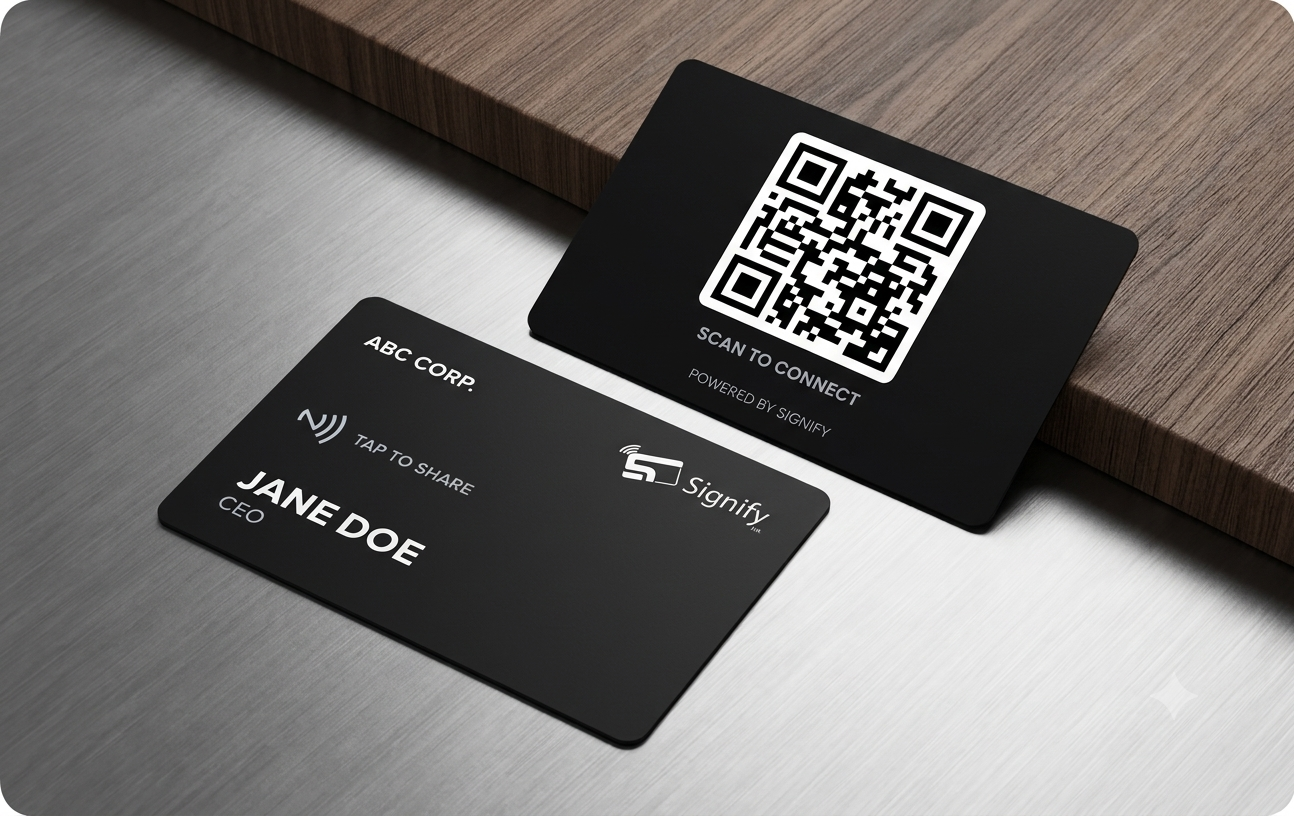
Depending on current availability in the configurator, physical card options can include glossy plastic, wood, and black metal. These cards offer a premium, tactile experience that bridges the gap between traditional paper cards and digital profiles.
Share by tapping the NFC card
Tap the physical Signify NFC card against an NFC-enabled phone. The phone can open the digital card linked to the physical card, giving the other person immediate access to your professional profile. This "tap-to-share" experience is often the fastest and most memorable way to exchange information.
Share by scanning the QR code
The physical card can also provide a QR code on its back. Someone can scan that code with their phone camera to open the same linked Signify digital card. This serves as a reliable backup if the recipient's phone does not have NFC enabled.
Update your card without replacing the physical card
One of the most significant benefits of linking the physical card to your digital card is that you can continue updating your information in Signify. When you change your card details, people using the same NFC tap or QR link can see the updated digital profile.
This means you do not need to reprint the physical card every time your job title, company, contact details, or other professional information changes. It is a sustainable and highly efficient way to network.
Explore the Signify NFC card range for physical card options.
Which Signify Sharing Method Should You Use?
Each Signify sharing method is designed for a different situation. Here is a breakdown to help you choose the best approach:
| Method | Best Used For | Key Advantage |
|---|---|---|
| QR Code | Meetings, printed materials, presentations, and quick in-person sharing. | Universal; works with any smartphone camera. |
| Public Card Link | Sending your card through messaging apps, email, social media, or websites. | Easy to paste anywhere text can be entered. |
| Signify App | When both people use Signify and want to save cards or exchange leads. | Enables "Two-Way Connect" and CRM syncing. |
| Phone/Smartwatch Widget | Fast access to your sharing QR code without opening the app. | Maximum speed and convenience. |
| Physical NFC Card | Face-to-face networking where tapping a physical business card is convenient. | Premium tactile experience, highly memorable. |
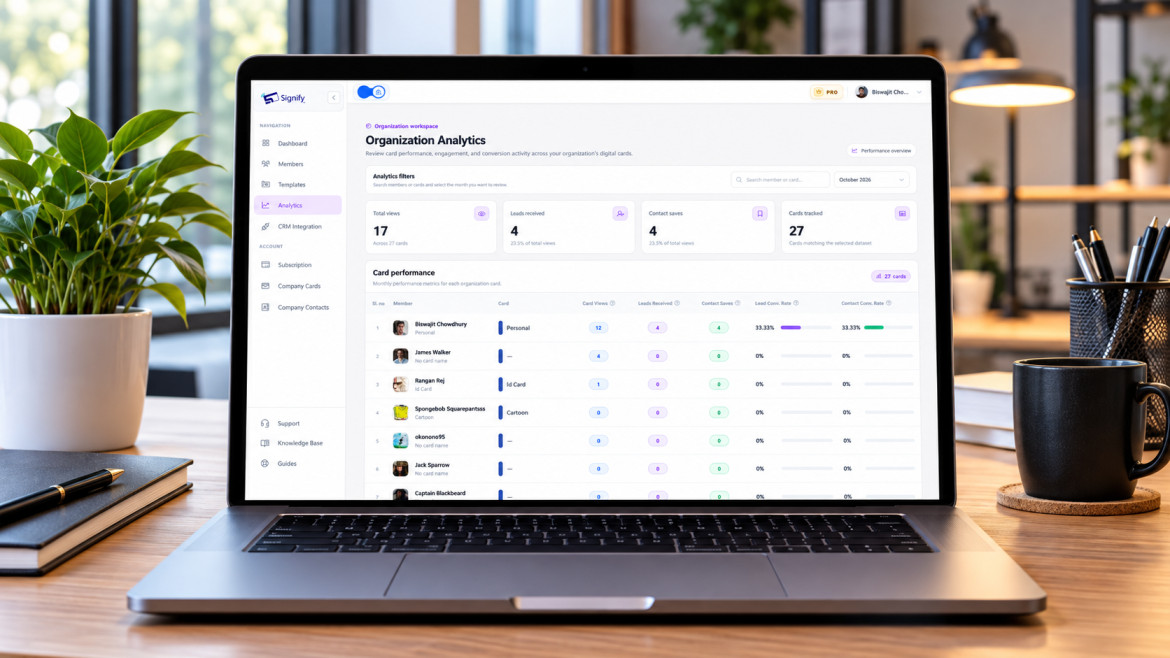
Regardless of how you share it, the goal is the same: give someone an easy path to your Signify digital business card and your available contact information. You can also check your Signify analytics to see which sharing methods are driving the most profile views and engagement.
Signify Digital Business Card Sharing FAQ
How can I share my Signify digital business card?
You can share your Signify card using its QR code, public card link, Signify mobile app, phone widget, smartwatch widget, or a physical Signify NFC card.
Can someone view my Signify card without the Signify app?
Yes. Your public Signify card can open in a web browser, so someone can view your professional information without installing the Signify app.
Can I download my Signify QR code?
Yes. Use Download QR in the sharing interface. You can also download the QR code from the quick actions on your card's /mycard/{card_id} page.
Can someone save my Signify card without having a Signify account?
Yes. A person can open your public card in their browser and save your contact details as a VCF file.
Can I share a Signify card with NFC?
Yes. A physical Signify NFC card can be linked to one of your digital cards. An NFC-enabled phone can open the linked card when the physical card is tapped.
Does updating my Signify card update the NFC card?
The physical NFC card remains linked to your digital card. When you update the digital card in Signify, people using the same tap or QR link can see the updated profile.
Are Signify Apple Wallet and Google Wallet passes available?
Apple Wallet and Google Wallet passes for Signify cards are currently listed as coming soon.
Where can I create or edit my Signify card?
You can create or edit your card directly from your Signify dashboard. From there, you can update your contact details, change your design theme, and access the sharing options.
Share Your Signify Card Anywhere
Whether you are networking in person, sending a card online, or using an NFC business card, Signify gives you multiple ways to share the same digital profile. Create or update your Signify digital business card and make it easy for people to connect with you wherever you meet.
Explore digital business cards