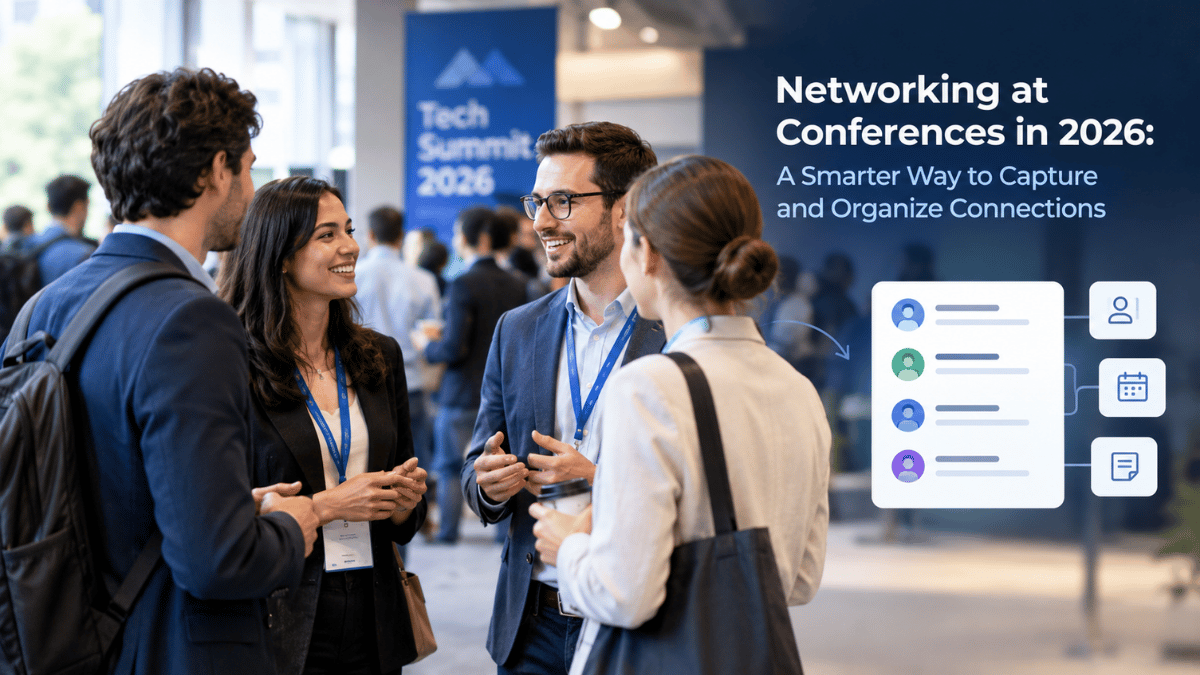

Conferences create hundreds of opportunities to meet new people—but collecting connections is only the beginning. Digital business cards can make conference networking faster, simpler, and easier to continue after the event.
Attendees exchange business cards, scan QR codes, connect on LinkedIn, exchange phone numbers, and promise to follow up later. Then the event ends. The real challenge begins: remembering who everyone was, where they met, what they discussed, and which conversations deserve follow-up.
The old way of networking involved a pocket full of paper cards and a notebook. Today, modern professionals are turning to Signify digital business cards to capture, organize, and nurture the connections they make on the conference floor.
The Old Conference Networking Problem
Physical networking creates several problems that impact your ROI at an event. If you hand out 100 paper cards, you are relying entirely on the recipient's memory and organizational skills to keep your information safe.
| The Old Way Challenge | The Real-World Impact |
|---|---|
| Cards can be misplaced. | The vast majority of paper cards end up in a bag, never to be seen again. |
| Manual entry required. | Typing contact information into a phone or CRM is tedious and prone to typos. |
| People forget conversations. | Without context, a name on a card loses its meaning a week later. |
| Follow-ups become inconsistent. | By the time you get back to the office, the lead has gone cold. |
| Outdated information. | If your job title or company changes, your printed cards are obsolete. |
The New Conference Networking Flow
A modern conference interaction can happen in seconds using a Signify digital business card. The entire process is designed to eliminate friction.
| Step | Action | The Signify Advantage |
|---|---|---|
| 1. Meet | You have a conversation on the conference floor. | Focus on the human connection, not the logistics. |
| 2. Tap or Scan | You share your details via NFC or QR code. | Takes less than 3 seconds. No app required for the recipient. |
| 3. Explore | They view your digital profile in their browser. | They can instantly see your website, portfolio, and social links. |
| 4. Save | They save your contact info directly to their phone. | Zero manual data entry, 100% accuracy. |
| 5. Follow Up | You use your analytics to see who engaged. | You know exactly who is interested before you send an email. |
Preparation (Before the Event)
Your networking strategy should start before you arrive. If your digital profile is incomplete, you are leaving valuable context on the table.
Prepare Your Digital Profile
Make sure your card contains accurate and up-to-date information. Log into your Signify dashboard and verify the following:
- Name, Job Title, and Company
- Contact information (Phone and Email)
- Website and Portfolio links
- LinkedIn and social profiles
- A clear Call to Action (e.g., "Book a Meeting" or "View Our Product")
Define Your Networking Goal
Don't measure success only by the number of contacts collected. Decide whether your goal is finding clients, meeting investors, recruiting talent, or finding partners. Your digital card can be tailored to support that specific goal.
Execution (During the Event)
Make Sharing Frictionless
Instead of searching for a pen or exchanging multiple links, share one digital destination. Use your smart QR code on your phone screen, or simply tap your Signify NFC card against their phone.
Give People Something to Explore
Your card becomes much more useful when it connects people to your website, portfolio, social profiles, booking tools, or other professional resources. It turns a brief conversation into an opportunity for discovery.
Keep the Conversation Human
Technology should remove friction—not replace conversation. Do not immediately shove your QR code in someone's face. Have a genuine conversation first. The digital exchange should happen at the end, as a natural conclusion to a great interaction.
After the Conference: The 24-Hour Follow-Up
This is where digital networking becomes especially valuable. Instead of having dozens of disconnected business cards, your contacts lead directly back to a digital profile.
Use the Signify analytics dashboard to see who viewed your profile after the event. This data helps you prioritize your follow-ups.
Networking by Event Type
Different events require different networking strategies. Here is how a digital card adapts to various environments:
| Event Type | How to Use Your Digital Card |
|---|---|
| Trade Shows | Use your digital card to connect prospects to products, demos, and sales contacts. Lead capture forms ensure you don't lose high-intent visitors. |
| Technology Conferences | Highlight projects, GitHub profiles, and technical work directly on your profile. |
| Business Summits | Make it easy for executives to access your company info and schedule high-level meetings. |
| Career Fairs | Connect recruiters and candidates with professional profiles and application resources instantly. |
| Startup Events | Combine founder information, company websites, investor materials, and social profiles into one pitch-ready profile. |
Why Digital Networking Works Better After the Event
The most important networking moment isn't necessarily the introduction. It is the moment when someone decides whether to reconnect. A digital card gives that person a persistent destination.
They don't have to search their pockets for a business card or remember the exact spelling of your name. They have your link, your digital profile, and a direct path to continue the relationship.
If you are managing a team of sales reps at a large event, Signify for Teams allows you to centralize branding and track performance across all employees, ensuring consistent follow-ups.
Frequently asked questions
Do I need an app to share my Signify card at an event?
No. You can access your card and display your QR code directly from your mobile browser. Recipients also do not need an app; your profile opens natively in their web browser.
How does an NFC card work at a conference?
An NFC business card is a physical card embedded with a chip. When you tap it against a prospect's smartphone, it opens your digital profile instantly. It is the fastest way to share information in person.
Can I capture the other person's details?
Yes. When someone opens your Signify card, they can easily share their contact information with you via the "Two-Way Connect" feature, or save your info as a VCF file.
How do I know who viewed my card?
Signify provides analytics that show you profile views, link clicks, and engagement activity, helping you prioritize your post-event follow-ups.
Is a digital card better than a paper card for networking?
For capturing and organizing connections, yes. Digital cards eliminate manual data entry and provide a persistent link to your professional identity that paper cannot match.
Turn Your Next Conference into a Networking Success
Don't let valuable connections disappear into a stack of paper cards. Equip yourself with a Signify digital business card and make every introduction count.
Create Your Signify Card