
Networking is still the single most reliable way to grow a career or a business. Forbes reports that 80% of professionals consider networking essential for career growth, and 70% were hired at a company where they already knew someone. Yet the tool most professionals still rely on — the paper business card — is failing at an astonishing rate: 88% are discarded within a week. Signify replaces that broken exchange with a live digital profile that shares in seconds, stays current forever, and tracks every interaction. This guide explains how the platform works, why it outperforms paper, and how to use it to build a professional network that actually compounds.
The timing is not accidental. Digital business card adoption is accelerating: 37% of small businesses have already adopted digital cards, and 72% of professionals say they prefer digital cards over paper. The market is responding because the old model creates a dead end. A paper card is handed over and then disappears — no update, no analytics, no follow-up mechanism. A Signify digital business card does the opposite: it opens a personal landing page, captures the connection, and gives both parties a reason to stay in touch.
The networking reality in 2026
Professional networking has not lost its importance — it has lost its medium. The handshake still matters, the follow-up still matters, and the relationship still matters. What has changed is the tool. A paper card was designed for a world where contact information was static and follow-up was manual. Neither assumption holds today.
The data makes the gap clear. Networking drives measurable outcomes: 85% of jobs are filled through personal and professional connections, and professionals who network intentionally are significantly more likely to find mentors, clients, and collaborators. But the traditional card exchange captures only a fraction of that value, because most cards never make it into a digital system.
The implication is straightforward: if most opportunities come through people you know, then the quality of your networking tooling directly determines the size of your opportunity set. A digital business card is not a gimmick — it is infrastructure for a network that compounds.
Why paper cards fail
A paper card fails at three points: it disappears, it goes stale, and it cannot be measured.
It disappears
An estimated 27 million business cards are printed globally every day, and 88% are discarded within a week. That produces roughly 12,000 tonnes of business card waste annually. The card is handed over, pocketed, and then lost in a wash, a drawer, or a recycling bin. The connection dies with the artifact.
It goes stale
A paper card is a snapshot. If you change roles, companies, phone numbers, or email addresses, every card you have ever handed out becomes wrong. Reprinting is expensive and slow, and even then, the old cards remain in circulation. A Signify electronic business card updates once and every saved copy reflects the change instantly.
It cannot be measured
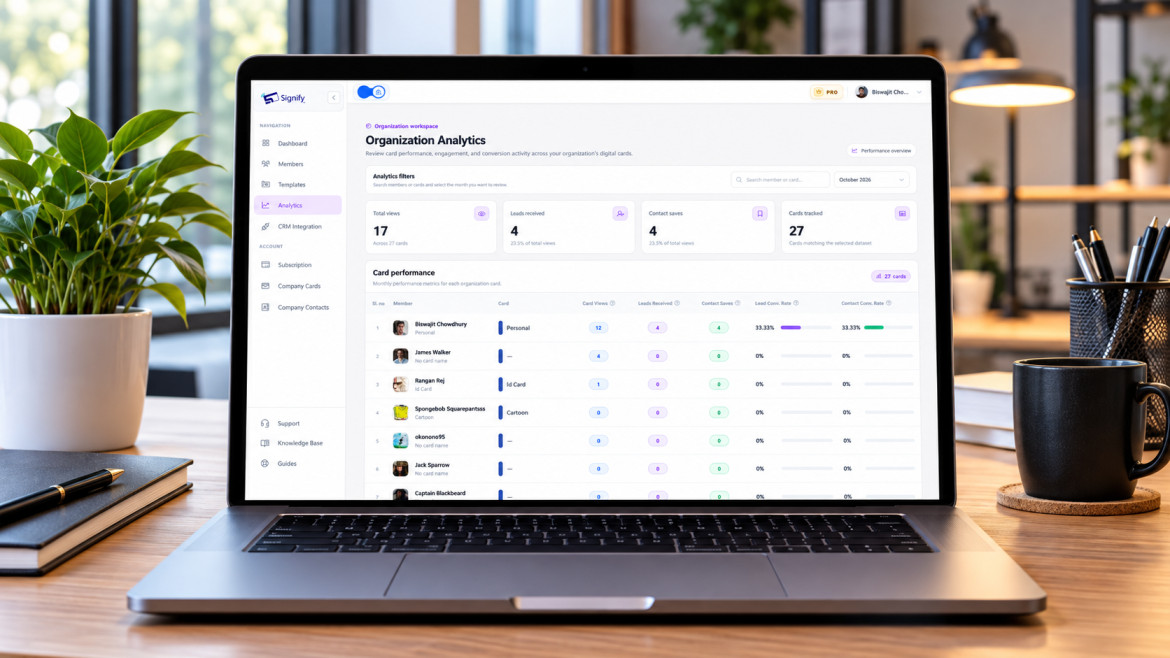
Paper gives you zero data. You never know who viewed the card, who saved it, or who ignored it. You cannot compare events, channels, or messaging. A digital card tracks views, saves, and link clicks — turning networking from an unmeasured activity into a feedback loop. The analytics layer is what makes that possible.
What Signify actually does
Signify is a digital business card platform that replaces the paper rectangle with a live, shareable professional profile. The company page describes it as “your identity, simplified; your network, amplified.” In practice, that means three things:
You create a dynamic profile
Your Signify card can include your photo, role, company, phone, email, website, social links, portfolio, and booking link — presented on a fast, responsive page that works on any device. Unlike a paper card, there is no space constraint. You can add unlimited links and documents, and update them whenever your details change.
You share it anywhere
Signify supports four sharing methods — NFC tap, Smart QR code, direct link, and email signature — so you can connect in person, remotely, or asynchronously. The recipient never needs to download an app. The card opens in a browser.
It stays current automatically
When you change roles, companies, or contact details, you update your profile once. Every person who has saved your card sees the latest version. No reprints, no outdated information in circulation. This is the structural advantage over paper: the card evolves with you.
Instant sharing
Share contact details in seconds via QR, NFC, or link — no app required on the recipient’s end.
Always up to date
One update keeps every shared profile current. No reprints, no stale information.
Smart customization
Match your card to your brand with themes, colors, logos, and a professional headshot.
Analytics and insights
Track profile views, saves, and link clicks to understand what actually drives engagement.
Your personal landing page
The card is the gateway; the landing page is what converts. When someone taps or scans your Signify card, they land on a branded profile that represents your professional identity. This is the “mini-website” concept in practice — a single page that carries your contact details, social proof, and next steps.
What belongs on the page
- A clear profile photo — faces are remembered better than names or logos.
- A specific headline — “Freelance brand strategist for B2B SaaS” is memorable; “creative professional” is not.
- Direct contact links — phone, email, and messaging options, all one tap away.
- Portfolio or social proof — LinkedIn, a website, a portfolio, or a booking link.
- A lead-capture form — turns a one-way share into a two-way exchange.
The Signify solutions overview describes how these elements fit together for different professional use cases, from individual freelancers to enterprise sales teams.
For teams, Signify Teams enforces a shared brand template, so every employee’s landing page reflects the same visual identity while keeping individual details intact. That consistency is what turns a collection of individual cards into a recognizable organizational presence.
Analytics that make networking measurable
One of the clearest advantages of a digital card over paper is visibility. A paper card gives you no data — you never know who looked at it, who saved it, or who ignored it. A Signify card tracks profile views, saves, and link clicks in near real time.
For individual professionals, that data answers a practical question: which networking activities actually produce engagement? You can see which events drive views, which links get clicked, and which introductions turn into saved contacts. For teams, Signify Teams aggregates the numbers across every card, so sales leaders can compare performance by rep, by event, or by month.
The analytics layer also supports timing. If a prospect views your card three times but never clicks a link, that is a signal to follow up directly. If a card from a trade show gets zero engagement, you know to adjust the profile or the pitch before the next event. The Signify pricing page has the current plan details, including the free tier for individuals.
For teams and organizations
An individual with a digital card is an improvement. A team with a coordinated rollout is a structural advantage. Signify Teams provides the governance layer: centralized seat management, branded templates, shared contacts, and team-wide analytics.
Brand consistency without micromanagement
Organization card templates let an administrator lock the logo, theme colors, and required fields, while each employee fills in their own name, title, photo, and contact details. Every card reflects the company’s visual identity without requiring a design review for every new hire.
Shared contacts and CRM sync
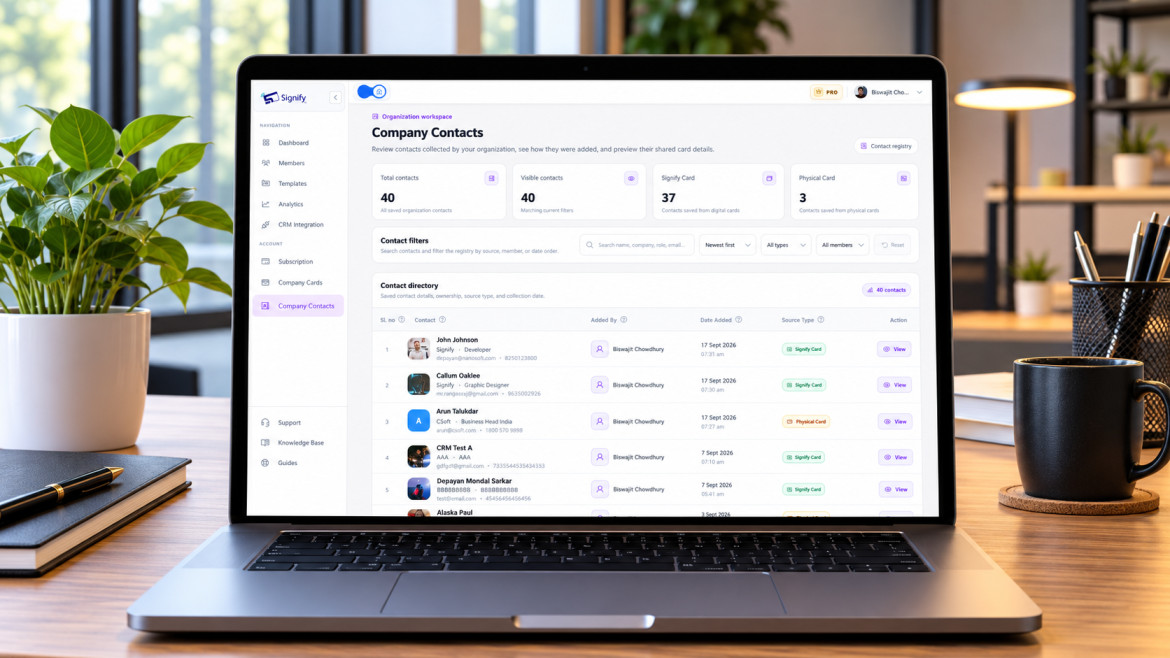
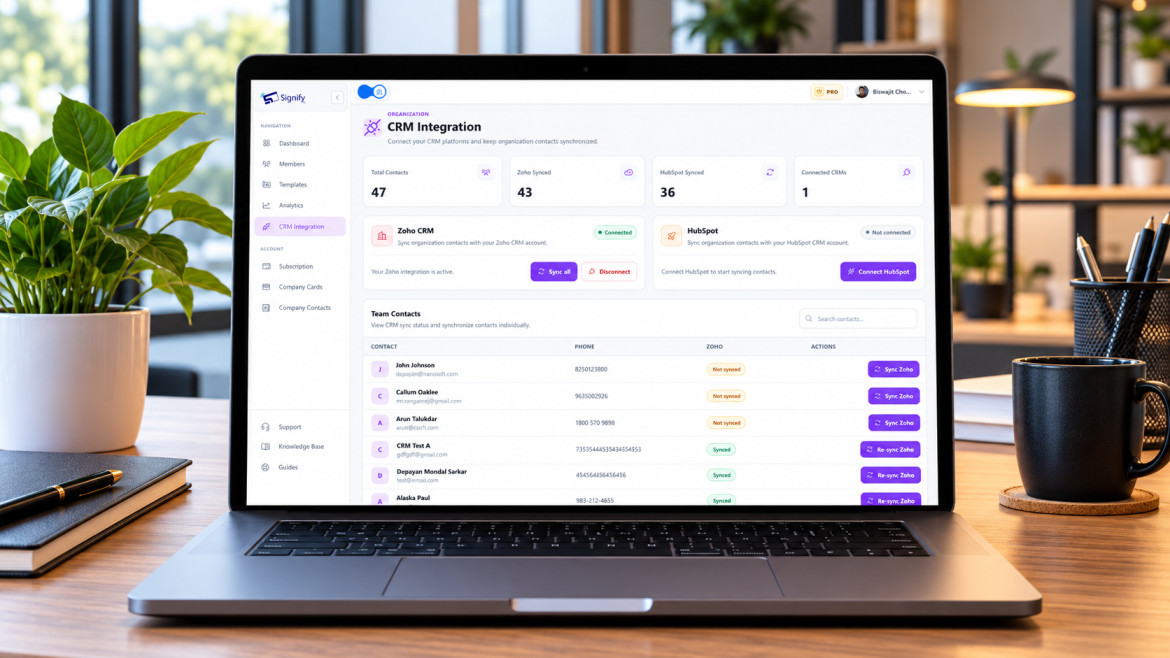
All contacts saved by any team member appear in a shared directory, with notes and tags. For teams where multiple people may meet the same prospect at different events, this prevents duplication and missed follow-up. Contacts can sync to Zoho CRM, with bulk sync and re-sync on updates.
Team analytics
Administrators can review views, saves, and leads by card or by team member. This makes it possible to see which practice areas or events generate engagement, and to adjust networking priorities accordingly.
For organizations that also maintain a public-facing page, Business Brief complements Signify Teams by giving the company a single branded destination with contact options and links to employee cards. Current plans and per-seat pricing are on the pricing page.
Setting up your card
Building a Signify card takes minutes, not hours. The sequence below is designed to produce a card that is immediately useful for networking.
- Create your card. Sign up and open the card editor via Create a Card.
- Add your core identity. Name, role, a clear photo, and a one-line bio that tells a new contact exactly what you do.
- Add your links. Include the channels where you actually respond: LinkedIn, a calendar booking link, a portfolio or website, and one messaging option.
- Choose a theme. Pick a layout that reflects your professional style. Signify offers several themes and color options.
- Test sharing. Scan the QR code with a second device and tap the NFC card if you have one. Confirm that the profile opens correctly before you share it with a client or a contact.
If you also want a physical touchpoint, a Signify NFC card pairs with your digital profile. You hand it over like a traditional card, and the recipient taps or scans to open the live version. For professionals who want both a tactile moment and a digital follow-up, that combination is the best of both formats.
Best practices for network building
A digital card removes the logistical problems of paper, but it does not replace good networking habits. These practices make the tool work.
- Keep your card current. Update your role, company, and contact details whenever they change. A stale card undermines the trust it is supposed to build.
- Use a specific headline. “I help B2B SaaS founders build pipeline” is memorable; “CEO at Company” is not.
- Choose three or four links, not ten. A card with too many options creates decision paralysis. Pick the channels where you actually respond.
- Extend the card into your email signature. This is the highest-ROI move for most professionals. A Signify email signature puts your card in every outgoing message.
- Review analytics quarterly. Use the data to see which networking activities produce engagement and which do not. Double down on the former.
- Pair the card with an NFC card for in-person events. A physical NFC card makes the exchange frictionless and signals intention.
- Use branded templates if you are rolling this out to a team. Signify Teams enforces consistency without requiring central design work for every card.
For a deeper walkthrough of card design and field setup, the Signify Insights library covers first-time card creation, email-signature customization, and QR/NFC networking in more detail.
Frequently asked questions
Do recipients need an app to view my Signify card?
No. Your card opens in a standard web browser on any smartphone, tablet, or computer. There is nothing to download, which makes it easier for a new contact to engage with your profile immediately.
How does a digital card help me build a professional network?
By removing the friction that causes most paper-card connections to die. A digital card shares in seconds, stays current automatically, and gives the recipient a clear next step — save the contact, click a link, or book time. Easier follow-up means more conversations, and more conversations mean a stronger network.
What sharing methods does Signify support?
Four: NFC tap, Smart QR code, direct link, and email signature. Together they cover in-person, remote, and asynchronous networking.
Can I update my card after sharing it?
Yes. Update your profile once, and every person who has saved your card sees the latest version. No reprints, no need to resend links. This is one of the structural advantages of a digital card over paper.
Is Signify free to start?
Yes. Signify offers a free tier for individual professionals that covers core card creation, sharing, and basic analytics. Paid plans add more cards, custom branding, and team features. See the pricing page for details.
How does Signify Teams help organizations?
Signify Teams adds centralized seat management, branded templates, shared company contacts, team analytics, and CRM integration. It lets an organization maintain a consistent professional identity while giving each employee the tools to network effectively.
What analytics does a Signify card provide?
You can track profile views, contact saves, and link clicks. For teams, analytics are aggregated across every card, so you can compare performance by rep or by event and measure networking ROI at an organizational level.
Can I use Signify alongside paper cards?
Yes. Many professionals carry a Signify NFC card as a physical touchpoint while sharing the same profile digitally. The card is handed over as usual — the tap or scan opens the live digital version, combining the tangible feel of a card with the advantages of a dynamic profile.
Is my data secure on Signify?
Signify encrypts data in transit with TLS 1.2+ and at rest with AES-256, and it hosts on ISO 27001/27017 and SOC 1/2/3 certified infrastructure. It supports field-level visibility controls and remote logout. The Security Policy documents the controls in detail.
What is the first step to building my network with Signify?
Create a free Signify card, add your core details and links, and share it via QR code or link. For a team rollout, start a Signify Teams trial to deploy branded cards across your organization.
Build a network that compounds
Replace the paper card with a Signify digital profile that shares instantly, stays current forever, and gives every connection a reason to follow up.
Create your free digital card