
For digital nomads, frequent flyers, and global professionals, networking isn’t just about making connections — it’s about keeping them alive across time zones, currencies, and continents. Traditional paper business cards are becoming as outdated as printed boarding passes: they get crushed in luggage, run out at the worst moment, and go stale the second your details change. A Signify digital business card replaces that fragile stack with a live profile you can share by NFC tap, Smart QR code, or link — and update once, everywhere. This guide covers why travelers are switching, which features actually matter on the road, and how to set up a card that works from Bangkok to Berlin.
The traveler’s networking problem is different from the office worker’s. You meet more people in less time, you carry less, and you change context constantly. A card that worked at a conference in Singapore may be out of date by the time you reach a co-working space in Lisbon. Signify’s model — one always-current profile, shared through whatever method the moment allows — is built for exactly that rhythm. The Signify company page describes the core idea: your identity, simplified; your network, amplified.
The evolution of professional networking
Paper business cards have survived for centuries because they solved a simple problem: how to leave a trace of yourself with someone you just met. But the card’s limitations become obvious the moment you travel. It can’t be updated, it can’t hold a portfolio, it can’t be translated, and it can’t tell you whether the person you met ever looked at it again.
Digital cards change the unit of exchange. Instead of handing over a static rectangle, you share a digital business card that carries your contact details, social profiles, website, booking link, and any other professional signal you choose — and stays current after the handshake. For travelers, the difference is amplified because every interaction is compressed: you may have one conversation, one coffee, one conference badge scan to make the connection count.
The shift isn’t just aesthetic. Signify’s Insights library documents the operational gap: paper cards create a dead end after the exchange, while digital cards create an immediate, trackable digital footprint. For someone moving through five cities in a month, that footprint is the difference between a network that compounds and a stack of cards that never gets entered.
Paper vs. digital: the travel test
A card that works in a single office doesn’t necessarily survive a travel schedule. The table below compares the two formats against the conditions travelers actually face.
| Travel condition | Paper card | Signify digital card |
|---|---|---|
| Carrying enough cards for a multi-city trip | Limited supply; runs out or gets damaged | Unlimited shares from one profile |
| Changing hotels, numbers, or roles mid-trip | Card is already printed and out of date | Update once; every shared card reflects it |
| Sharing with someone who has no app | Works, but only as a physical artifact | Opens in any browser — no app required |
| Sharing on a video call or async message | Not possible without scanning or mailing | Link, QR, or email signature |
| Tracking whether the connection followed up | None | Views, saves, and link clicks in analytics |
| Environmental footprint | Recurring print and reprint waste | Paperless by design |
The paper card isn’t useless — it’s just poorly suited to a life where context changes faster than print cycles. Travelers feel that mismatch more acutely than anyone. A virtual business card removes the supply constraint, the reprint cycle, and the “I’m out of cards” moment in one move.
Why travelers are embracing digital cards
The reasons travelers switch are practical rather than ideological. They’re not trying to be early adopters; they’re trying to avoid the small failures that quietly cost them opportunities.
Always available
No more “I’m out of cards” moments. Your profile lives on your phone, ready to share at conferences, co-working spaces, or chance encounters.
Real-time updates
Change hotels, time zones, or contact details? Update once, and everyone with your card sees the latest version immediately.
Multi-format sharing
QR code, NFC tap, text message, or email — share however works best for each situation and each recipient’s device.
No app for recipients
Your card opens in a web browser on any smartphone, tablet, or computer. Nothing to download, nothing to install.
The common thread is reduced friction. Every traveler knows the small tax of paper: cards bending in a bag, running out halfway through a trip, or carrying an old title because the reprint never happened. A Signify online business card eliminates those taxes and replaces them with a single shareable profile that’s always ready.
The digital nomad’s networking toolkit
Digital nomads face a specific combination of constraints: constantly changing locations, limited luggage space, and the need to make meaningful connections quickly. A paper card was never designed for that; a digital card is.
Instant connection, anywhere
Meet someone at a co-working space in Bali, a conference in Berlin, or a café in Buenos Aires. Share your card with a QR scan or NFC tap — the recipient sees your full profile immediately, with no app download and no manual entry. Signify’s NFC cards are built for this: the chip is embedded in the card and resistant to water, bending, and wear, which matters when the card lives in a jacket pocket or a carry-on.
Location independence
Your card works the same whether you’re in Bangkok, Berlin, or Buenos Aires. There’s no reprinting per city, no local phone number to update, and no dependence on a physical supply of cards. The profile is web-based, so the recipient’s device — not your location — determines how it’s viewed.
Follow-up made easy
Integrated social links and contact fields make it simple for new connections to find and follow up with you. Instead of a card that says “email me,” your profile can include LinkedIn, a calendar link, a portfolio, and a direct message option — so the follow-up can happen in the channel the other person prefers. The Signify solutions overview shows how these pieces fit together for individual professionals and teams.
Features that matter for global professionals
Not every feature is equally useful on the road. These are the ones that consistently matter for travelers and remote professionals.
Browser-based viewing, no app required
This is the single most important feature for international networking. You cannot ask a new contact in a different country to download an app just to see your card. Signify profiles open in a standard web browser, which means the recipient can view and save your details regardless of device or operating system.
Dynamic QR codes
A Signify Smart QR code can be updated in real time without changing the physical image. That means a QR code printed on a badge, a slide deck, or a laptop sticker stays valid even if your title, company, or links change. For travelers who print event materials months in advance, that’s a meaningful advantage over static QR codes.
NFC tap sharing
A Signify NFC card transfers your profile in milliseconds with a tap against the back of a modern smartphone. NFC reading is built natively into iOS and Android, so the recipient doesn’t need to install anything. For in-person meetings where cameras struggle with lighting or angles, NFC is the fastest reliable option.
Privacy-first sharing
Travelers often need to share professional details without exposing personal ones. Signify is designed with privacy-first sharing, so you can control what appears on your public profile and keep sensitive contact information off the card. The company page lists “Secure by Design” as a core principle.
Analytics and insights
Signify tracks profile views and engagement, so you can see which introductions actually led somewhere. For a traveler, this is useful in a concrete way: if a conference card gets opened but a café introduction doesn’t, you can adjust where you invest follow-up time. The digital business card page describes the analytics layer in more detail.
Integrations with the tools you already use
Signify connects to LinkedIn, email, and social platforms — plus tools like Calendly, GitHub, Behance, YouTube, and a portfolio or company website. That means your card can be the single link you share, with the recipient choosing the next step: follow, message, book time, or explore your work.
A home-screen widget
Signify’s instant widget puts your QR and profile link one swipe away from the lock screen. When you’re moving through an event or switching between meetings, that half-second of access matters more than it sounds.
Setting up your card before you fly
A travel-ready card takes a few minutes to build and a few more to test. The setup below is designed to avoid the most common on-the-road failures: an outdated link, a QR that opens the wrong profile, or an NFC tap that doesn’t register on the recipient’s device.
Step 1: Build the profile around your travel use case
Open Create a Card and add your core identity: name, role, company, and a clear profile photo. Then add the links you actually use while traveling — LinkedIn, a calendar booking link, a portfolio or website, and the messaging channel you respond to fastest. Avoid listing every platform you’ve ever used; a short, current list is more useful than a long, stale one.
Step 2: Choose the sharing methods you’ll carry
If you’re mostly meeting people in person, pair your profile with a Signify NFC card and enable the QR code as a fallback. If you’re mostly remote, the direct link and email signature may be enough. There’s no requirement to use every method, but having at least two covers the situations where one doesn’t work.
Step 3: Test on a second device
Before you leave, scan your QR code with a different phone and tap your NFC card against a device that isn’t yours. Confirm that the profile opens correctly, the important links work, and the information is current. This two-minute check prevents the most embarrassing travel networking failure: a card that doesn’t open.
Step 4: Add an email signature for follow-ups
Travel networking often continues over email after the trip. A Signify email signature keeps your card in every follow-up without you having to paste a link each time. If you’re traveling for a company, ask whether your organization has a branded template through Signify Teams.
Measurable benefits on the road
The case for digital cards isn’t just qualitative. Signify’s own analysis of face-to-face interactions shows a structural difference in follow-through between paper and digital workflows.
The 88% figure matters most for travelers because it describes the default outcome of a paper exchange: the card is handed over, then lost. The 3X conversion figure matters because it describes what happens when the exchange is digital and the recipient is prompted to share their details in return. For a traveling professional, that difference compounds across every trip: the same number of conversations produces a larger number of usable contacts.
The environmental figure is also relevant for organizations with sustainability reporting. Signify’s QR and NFC guide estimates that a single smart card eliminates the need for roughly 1,500 paper cards per employee annually. For a company with a traveling sales or partnerships team, that’s a measurable reduction in print, shipping, and waste — and a straightforward line item in an ESG report.
Cost savings are smaller at the individual level but still real. A traveling professional who prints and reprints cards across multiple roles and trips typically spends more than the cost of a digital card subscription. The Signify pricing page has the current plan details, including the free tier for individuals.
For traveling teams and global organizations
Individual travelers benefit from a digital card, but the operational advantage becomes much larger when an entire team uses the same system. Signify Teams gives organizations a central dashboard for employee cards, branding, shared contacts, analytics, and CRM integration.
For a distributed or travel-heavy team, the relevant capabilities are:
- Centralized seat management — invite members, assign roles, and manage access without handling each card separately.
- Branded templates — keep every employee’s card and email signature on-brand, even when people are in different countries.
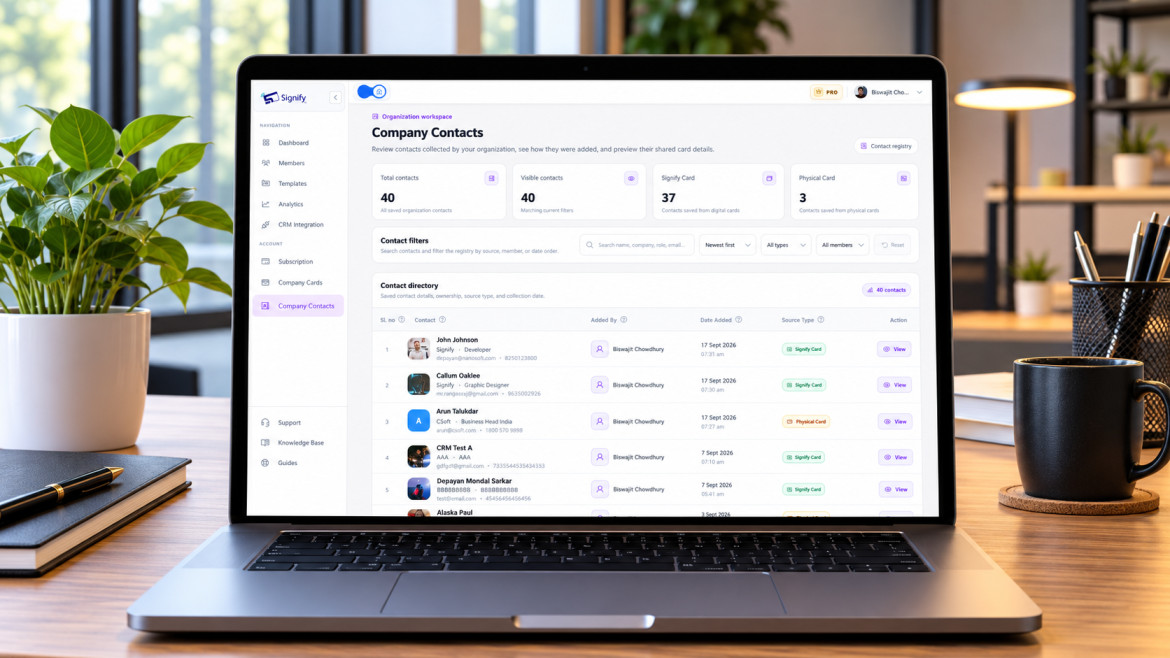
- Shared company contacts — a unified view of contacts saved by any team member, with notes and tags.
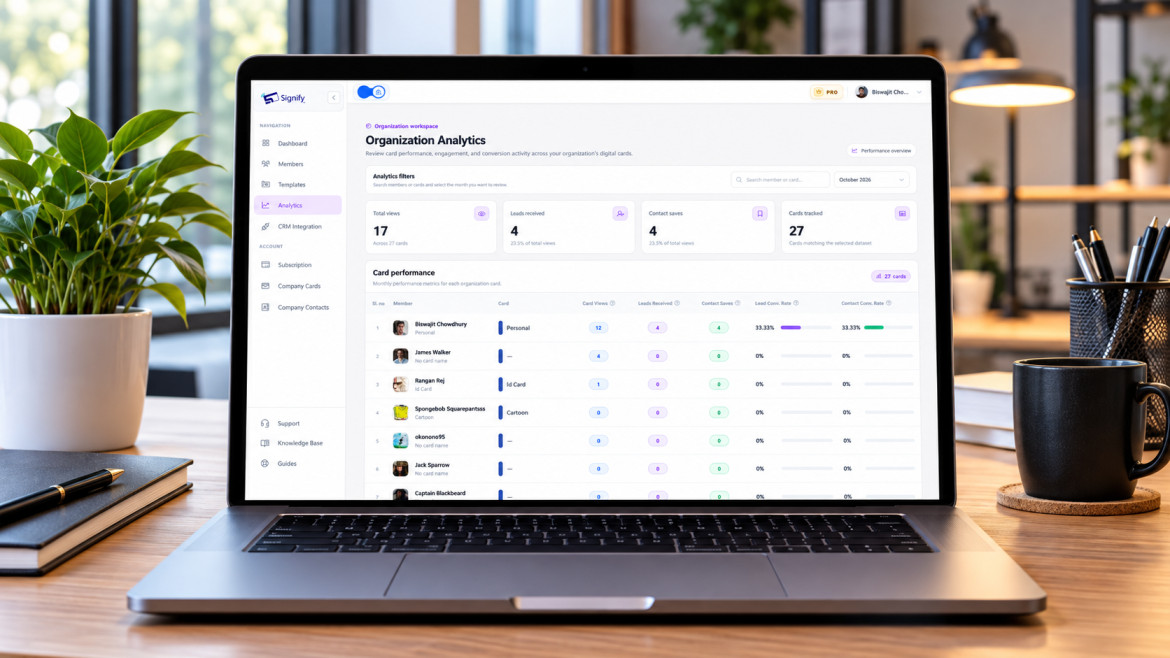
- Team analytics — review views, saves, and leads by card or team member to understand which markets and events are producing engagement.
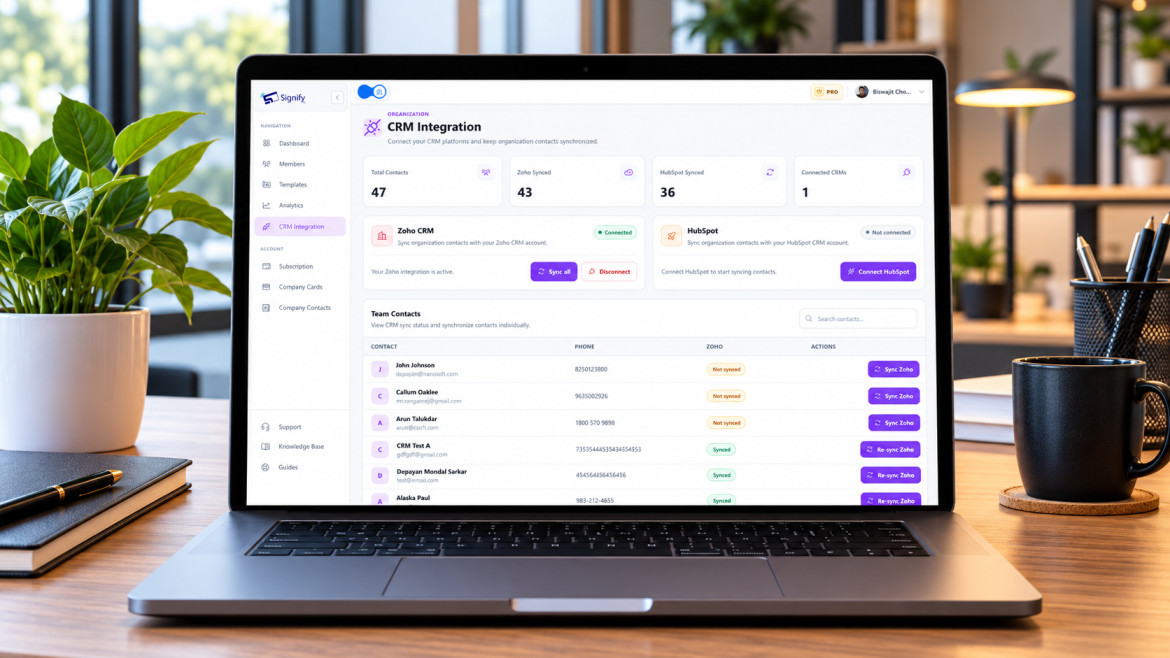
- CRM integration — sync contacts to Zoho CRM and re-sync when details change, so follow-up doesn’t depend on someone manually exporting a list.
Signify Teams includes a seven-day free trial with seat counts from 5 to 100, so a team can test the workflow before committing. For organizations that also need a public-facing company page, Business Brief complements the team dashboard by giving the business a single branded destination with contact options and links to employee cards.
Best practices for travel networking
A digital card removes the supply and update problems of paper, but it doesn’t remove the need for good networking habits. These practices are specifically useful when you’re traveling.
- Update your card before each trip. If your role, company, or contact details changed since the last trip, update the profile before you leave. The card is only as good as its current information.
- Test QR and NFC on a second device. A quick scan and tap before you fly catches link errors, permission issues, and device compatibility problems.
- Keep the link list short and relevant. Add the channels you actually respond to. A calendar link is often more useful to a new contact than a fourth social profile.
- Use the email signature for follow-ups. Travel networking continues after the trip; a Signify signature keeps your card in the thread without extra effort.
- Review analytics after each trip. Look at views and saves to see which events or cities produced engagement. Use that to decide where to invest follow-up time.
- Carry an NFC card for in-person events. A physical NFC card makes the tap frictionless and signals intention. Pair it with the QR code as a fallback for older devices.
- Use a branded template if you’re traveling for work. If your organization uses Signify Teams, start from the company template rather than designing a card from scratch. Consistency matters more than customization when you’re representing a brand abroad.
For a deeper walkthrough of card design, field setup, and sharing methods, the Signify Insights collection covers first-time card creation, email-signature customization, and QR/NFC networking in more detail.
Frequently asked questions
Do recipients need an app to view my Signify card?
No. Your card opens in a standard web browser on any smartphone, tablet, or computer. There’s nothing to download, which matters when you’re networking across devices and operating systems.
Does a Signify card work internationally?
Yes. Because the card is web-based, it works anywhere the recipient has a browser and an internet connection. The sharing method — NFC, QR, or link — doesn’t depend on your location or the recipient’s country.
Can I update my details while I’m traveling?
Yes. That’s one of the main advantages for travelers. Update your profile once and everyone who has your card sees the latest version automatically. No reprints, no need to resend links.
Does NFC work on all phones?
NFC reading is built natively into modern iOS and Android devices. Most phones from the last several years support it. If a recipient’s device doesn’t, the QR code provides a universal fallback — any device with a camera can scan it.
What if I don’t have an NFC card — can I still share?
Yes. You can share your profile through a Smart QR code, a direct link, or an email signature. NFC is the fastest in-person option, but it isn’t required to use Signify.
Is it safe to share my details while traveling?
Signify is designed with privacy-first sharing, so you can control what appears on your public profile. Keep sensitive personal details off the card and share only the professional information you’re comfortable making available. The company page lists secure sharing as a core design principle.
Can I include a booking link or calendar?
Yes. Signify supports integrations with tools like Calendly, LinkedIn, GitHub, Behance, YouTube, and a portfolio or company website. A booking link is particularly useful for travelers because it lets a new contact schedule time without an email back-and-forth across time zones.
Does the card work without internet?
The NFC chip itself doesn’t need power, but the profile it opens is a web page, so the recipient needs an internet connection to view it. In practice, most travelers and event venues have connectivity; the QR and link methods have the same requirement.
Can I use the card in multiple languages?
Signify doesn’t require recipients to install anything, and the card opens in their browser, where they can use built-in translation if needed. Keep your headline and key details clear and concise so the profile is easy to understand across language contexts. For multilingual audiences, a short bio and direct links to the right channels are more useful than a long text-heavy card.
How do teams manage cards for traveling employees?
Signify Teams gives organizations a central dashboard for seat management, branded templates, shared contacts, team analytics, and CRM integration. It’s designed for distributed teams where employees need consistent cards without central staff managing each one individually.
Make your next trip a networking advantage
Create a free Signify digital card, set up QR and NFC sharing, and keep every connection current — no matter where you land next.
Create your free digital card